
Online banking has made managing money much easier than before. Today, people can check account balances, transfer money, pay bills, and even apply for loans without visiting a bank branch. However, many beginners still feel confused or nervous when using online banking for the first time.
If you are new to digital banking, this guide will help you understand everything in simple language. You will learn how online banking works for first time users, how to use it safely, and what mistakes to avoid.
Whether you use a mobile banking app or a bank website, the process is easier than most people think.
What Is Online Banking?
Online banking is a digital service that allows customers to access their bank accounts through the internet. Instead of visiting a bank branch, users can manage their money using:
- A banking mobile app
- A bank website
- Internet banking services
Most banks now offer online banking services for savings accounts, current accounts, credit cards, loans, and fixed deposits.
For example, a person can transfer money to a friend using their mobile phone within minutes without standing in a queue at the bank.
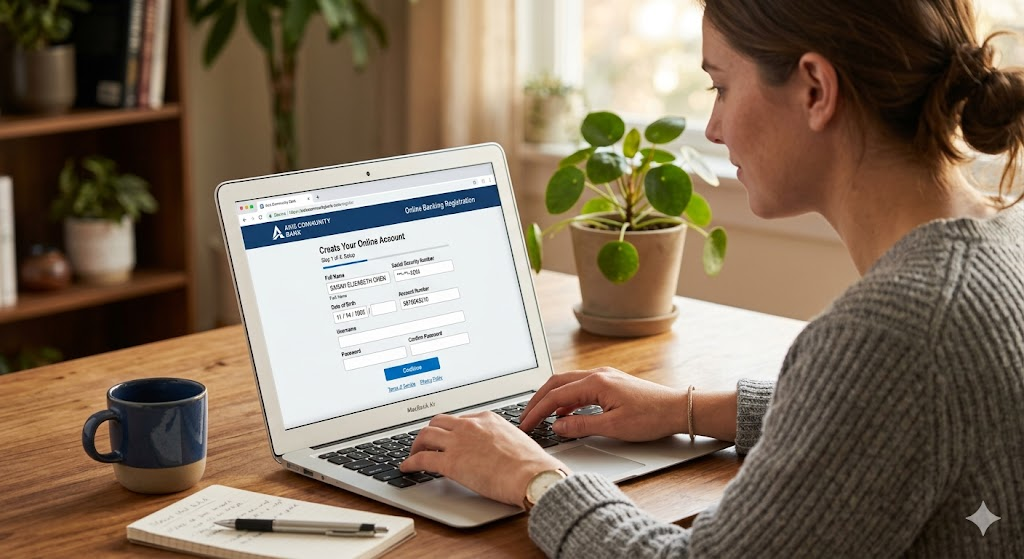
How Online Banking Works for First-Time Users
Understanding how online banking works for first time users is important before getting started.
Online banking connects your bank account to a secure digital platform. Once you register with your bank, you receive login credentials such as:
- User ID
- Password
- MPIN or transaction PIN
- OTP verification on your mobile number
After logging in securely, you can perform banking activities online.
Simple Example
Imagine you want to send ₹2,000 to your brother.
Instead of visiting the bank:
- You open your banking app.
- Log in using your password or fingerprint.
- Select “Fund Transfer.”
- Enter your brother’s bank details.
- Confirm the payment with an OTP.
The money is transferred digitally through secure banking systems.
This process usually takes only a few minutes.
Things You Need Before Using Online Banking
Before starting online banking, make sure you have the following:
| Requirement | Why It Is Needed |
|---|---|
| Bank account | Required for digital banking access |
| Registered mobile number | Needed for OTP verification |
| Debit card or ATM card | Often used during registration |
| Smartphone or computer | To access banking services |
| Internet connection | Required for online transactions |
| Email ID | Useful for alerts and notifications |
Some banks may also ask for identity verification during activation.
Common Features of Online Banking
Most online banking platforms provide many useful services.
Account Balance Checking
Users can see their current balance anytime without visiting the bank.
Money Transfer
Online banking allows transfers through:
- UPI
- NEFT
- RTGS
- IMPS
Bill Payments
You can pay:
- Electricity bills
- Mobile recharge
- Gas bills
- Credit card bills
- Internet bills
Mini Statements and Transaction History
Users can check previous transactions and download account statements.
Online Loan Services
Many banks allow customers to apply for personal loans, home loans, and education loans online.
If you are planning to borrow money in the future, you can also read about:
- Personal loan eligibility requirements
- How credit scores affect loan approval
- Home loan interest rates for beginners
These are good internal linking opportunities for your finance website.
Fixed Deposits and Investments
Some banks allow users to create fixed deposits or start investment plans online.
Step-by-Step Guide to Start Online Banking
Starting online banking is usually simple.
Step 1: Visit the Official Bank Website or App
Always download the official banking app from trusted sources like:
- Google Play Store
- Apple App Store
Avoid downloading apps from unknown websites.
Step 2: Register for Online Banking
Most banks ask for:
- Account number
- Debit card details
- Registered mobile number
- OTP verification
After verification, you can create:
- Username
- Password
- MPIN
Step 3: Log In Securely
Enter your login details carefully.
Some banks also offer:
- Fingerprint login
- Face unlock
- Two-factor authentication
Step 4: Explore Basic Features
Beginners should first learn:
- Balance checking
- Viewing transactions
- UPI payments
- Money transfers
Avoid making large transactions immediately until you feel comfortable using the app.
How Online Banking Keeps Your Money Safe
Security is one of the biggest concerns for first-time users. Fortunately, banks use several security measures to protect accounts.
OTP Verification
Banks send a One-Time Password to your registered mobile number before confirming important transactions.
Encryption Technology
Your banking data is protected through secure encryption systems.
Automatic Logout
Most banking apps automatically log users out after inactivity.
Fraud Monitoring
Banks monitor suspicious activities and may temporarily block unusual transactions.
Secure Login Systems
Many banks now offer:
- Fingerprint login
- Face recognition
- App lock protection
Even with these protections, users must also stay careful.
Benefits of Online Banking
Online banking offers many advantages for beginners and regular users.
Saves Time
You do not need to stand in long bank queues.
24/7 Access
Banking services are available anytime, including weekends.
Fast Transactions
Money transfers usually happen quickly.
Easy Bill Payments
Users can pay multiple bills from one place.
Better Financial Tracking
Transaction history helps users manage spending more effectively.
Paperless Banking
Digital banking reduces paperwork and physical visits.
Disadvantages of Online Banking
Although online banking is useful, there are a few drawbacks.
| Disadvantage | Explanation |
|---|---|
| Internet dependency | Banking services need internet access |
| Cyber fraud risk | Fake links and scams can target users |
| Technical issues | Apps or servers may sometimes fail |
| Learning difficulty | Elderly users may find it confusing initially |
However, most problems can be avoided with proper awareness and safe banking habits.
Common Mistakes First-Time Users Should Avoid
Many beginners make small mistakes that can create security risks.
Sharing OTPs
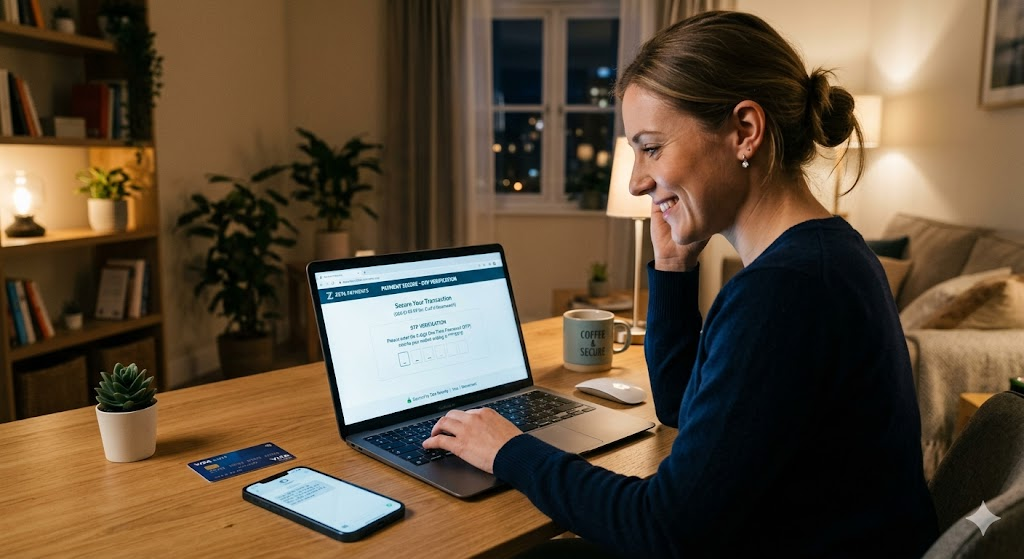
Never share your OTP, PIN, or password with anyone.
Banks never ask for confidential information through calls or messages.
Using Public Wi-Fi
Avoid banking on public internet networks because they may not be secure.
Clicking Unknown Links
Fraudsters often send fake banking links through SMS or email.
Always visit the official bank website directly.
Weak Passwords
Do not use easy passwords like:
- 123456
- Your name
- Birth date
Use strong passwords with letters, numbers, and symbols.
Ignoring SMS Alerts
Always check transaction alerts carefully to identify suspicious activity quickly.
Helpful Tips for Beginners
Here are some useful online banking tips for first-time users:
- Start with small transactions
- Enable app notifications
- Update your banking app regularly
- Keep your mobile number updated with the bank
- Use secure internet connections
- Log out after banking sessions
- Check account statements regularly
If you plan to apply for loans online later, learning about credit scores and banking basics can also help improve financial decisions.
You may also internally link related guides such as:
- Best ways to improve credit score
- Difference between secured and unsecured loans
- How education loans work for students
Online Banking vs Traditional Banking
| Feature | Online Banking | Traditional Banking |
|---|---|---|
| Accessibility | Available 24/7 | Limited banking hours |
| Speed | Faster transactions | Slower manual process |
| Branch Visit | Usually not needed | Often required |
| Convenience | High | Moderate |
| Paperwork | Minimal | More paperwork |
Both methods are useful, but online banking provides more convenience for daily tasks.
Is Online Banking Good for Beginners?
Yes, online banking is generally beginner-friendly today.
Most banking apps are designed with simple menus and easy navigation. Banks also provide customer support for users who need help.
The key is to:
- Learn slowly
- Follow safety rules
- Avoid sharing sensitive information
Once users become familiar with the system, online banking becomes very convenient for daily money management.
Conclusion
Understanding how online banking works for first time users can make digital banking less confusing and more comfortable. Online banking allows people to manage money, transfer funds, pay bills, and access banking services from anywhere.
For beginners, the best approach is to start slowly and focus on security. Always use official banking apps, protect your passwords, and avoid suspicious links or calls.
With proper awareness and safe habits, online banking can save time and make financial management much easier in daily life.
Frequently Asked Questions (FAQs)
1. Is online banking safe for first-time users?
Yes, online banking is generally safe if users follow proper security practices like using strong passwords and never sharing OTPs.
2. Can I use online banking without visiting a bank branch?
In many cases, yes. Some banks allow digital registration, while others may require one-time verification at a branch.
3. What is the difference between mobile banking and online banking?
Mobile banking is usually done through a banking app, while online banking may also include using a bank website on a computer.
4. What should I do if I forget my online banking password?
Most banks provide password reset options through OTP verification or customer support.
5. Do banks charge fees for online banking?
Basic online banking services are often free, but some special transactions or services may include charges depending on the bank.
Read Also: What Is EMI and How Does It Work?